Handed a white-labelled app. Gave back a product.
NoiseFit wasn't Noise's own product when I got it. It was a vendor's white-label build, split into separate apps per device family: the watch you bought decided which app you got. Over three years I rebuilt it into one product, then kept adding the pieces that made it an ecosystem.
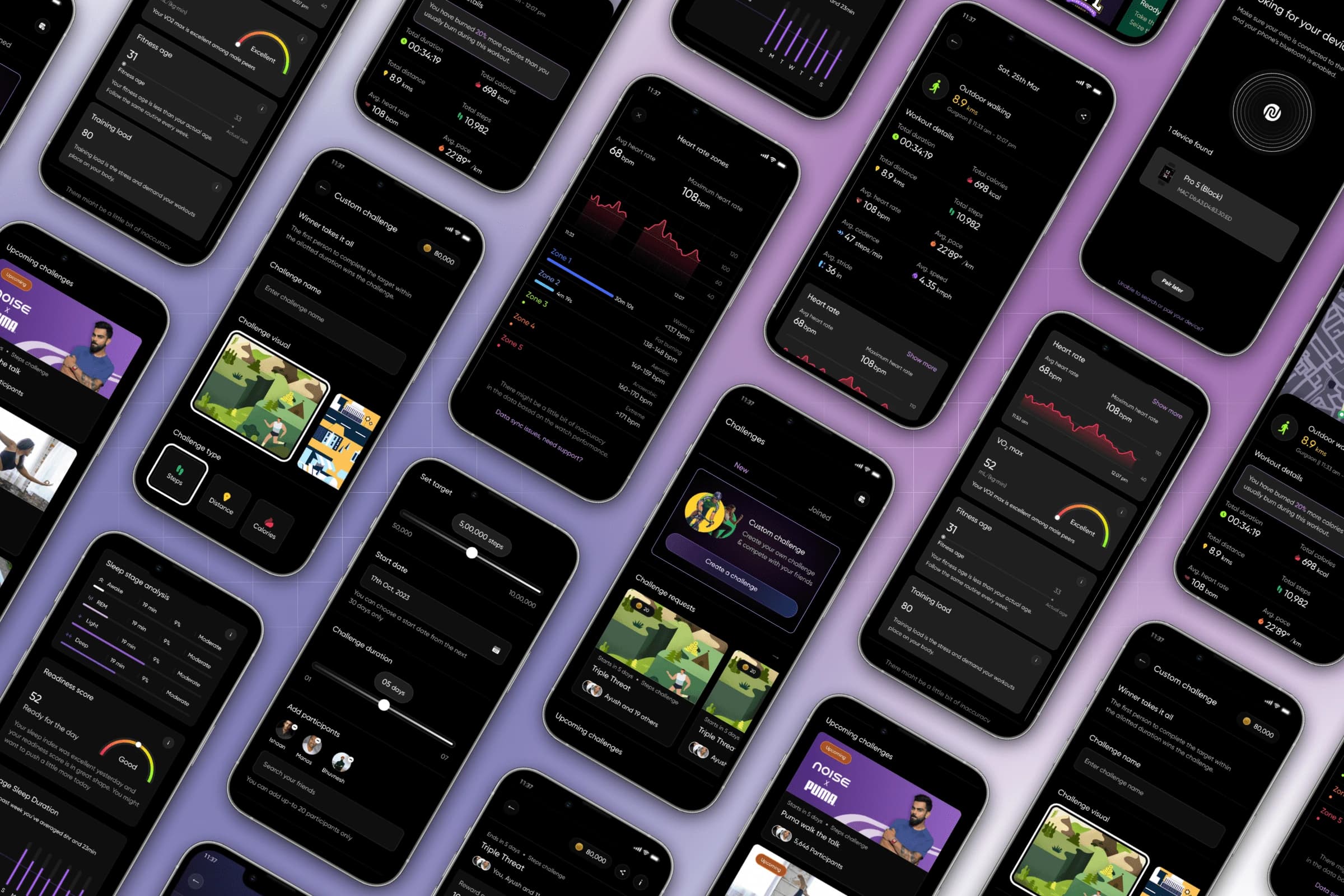
Not a redesign. A change of character.
The NoiseFit revamp transformed how its users experience health and fitness. Not a fresh coat of paint: a researched, strategic correction of an application that was quietly failing, and the promotion of a supporting app into the main character of Noise's ecosystem.
We measured before we designed, and we measured after we shipped. Four numbers tell the whole story:
Time in the app nearly doubled. Goal completion tripled. The rest of this page is the work those four numbers are pointing at.
A vendor's app, wearing Noise's name.
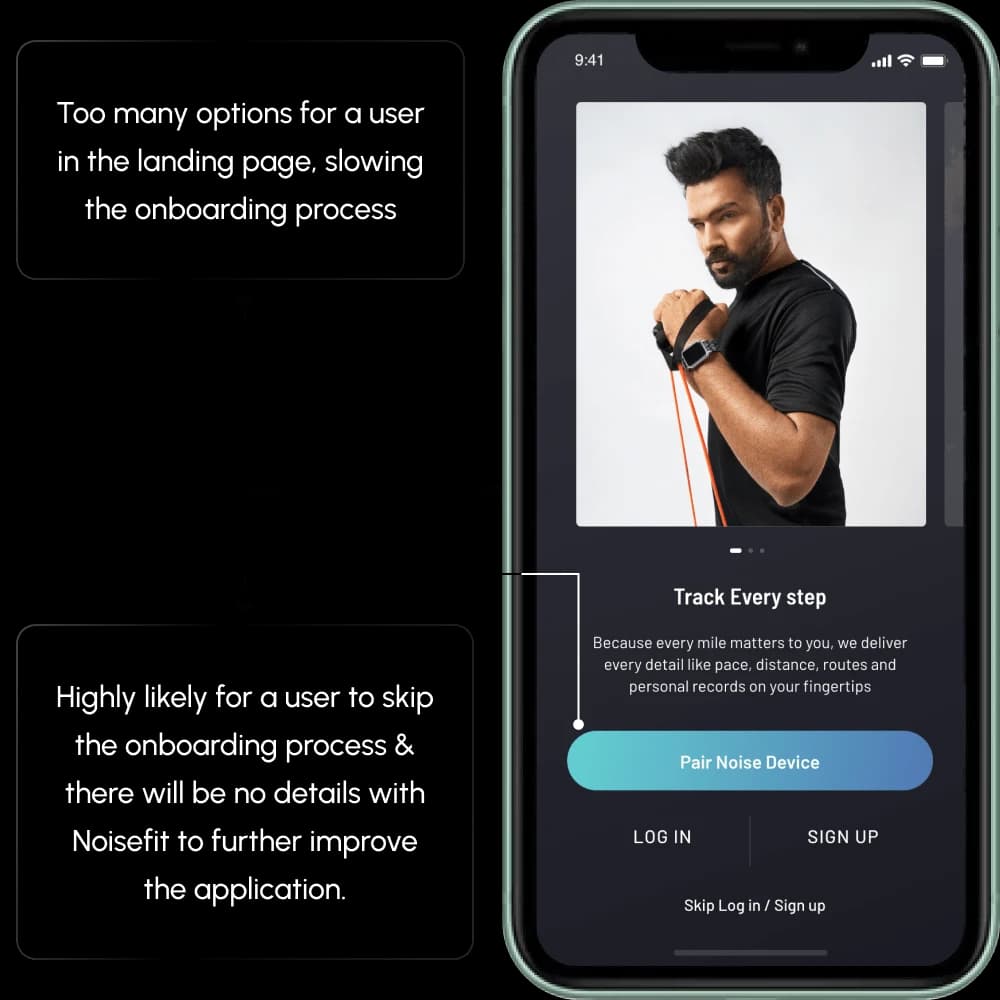
The app shipping under the NoiseFit name was a white-labelled vendor build, and there wasn't even one of it: separate builds per device family, so which app you got depended on which watch you bought. Noise didn't control its own product surface, and users could feel it even if they couldn't name it.
A fitness app people opened for ninety seconds, finished their goals one day in seven, and left within a month. That was the real brief, whatever the PRD said.
Not a redesign brief. A question about what the thing should be.
User interviews, the existing usage data, and where the business needed the product to go. The point wasn't to list what looked dated. It was to work out what NoiseFit had to become for Noise to own its relationship with the people wearing its hardware.
Enhance usability, increase user engagement, and make the app feel smooth and efficient to use.
Four objectives, agreed before a single screen moved:
- 01Understand the problems in the current UI, from evidence rather than taste.
- 02Turn that into a comprehensive list for the revamp.
- 03Split the revamp into phases by importance and urgency.
- 04Restructure the architecture so the app runs fast.
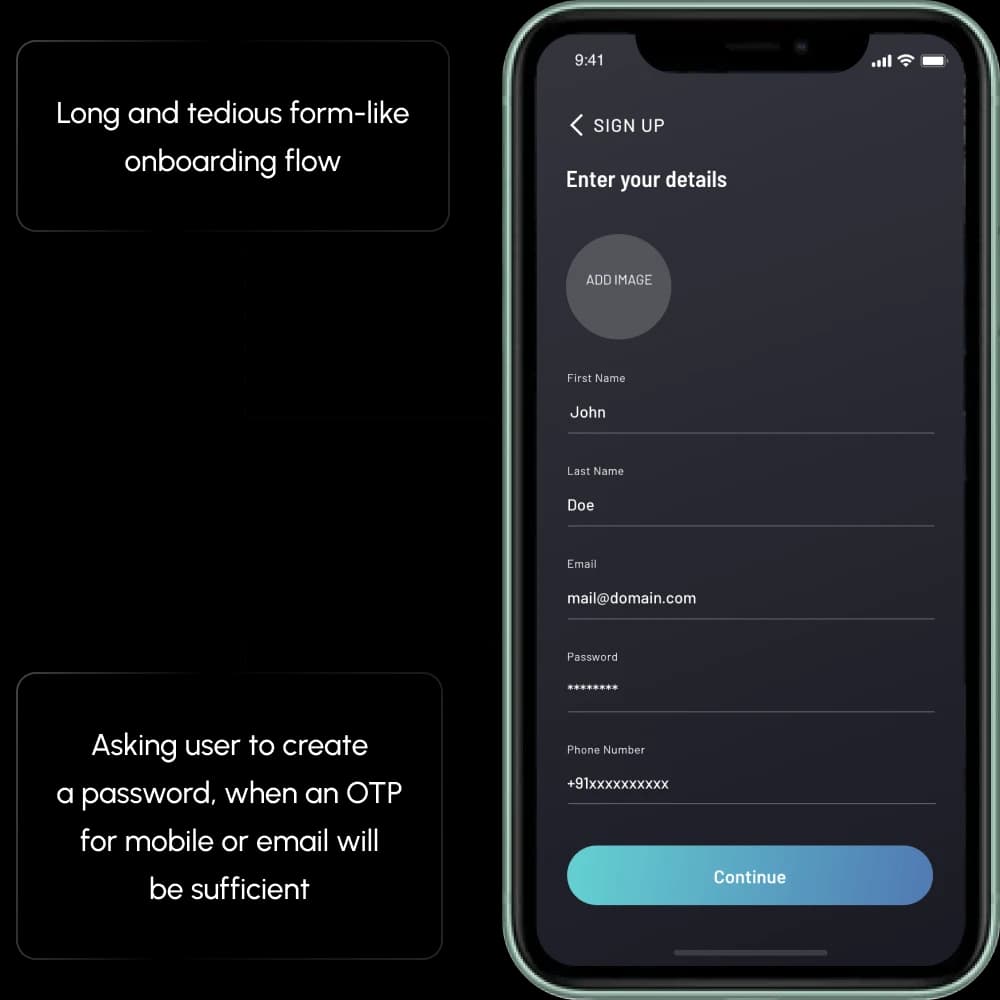
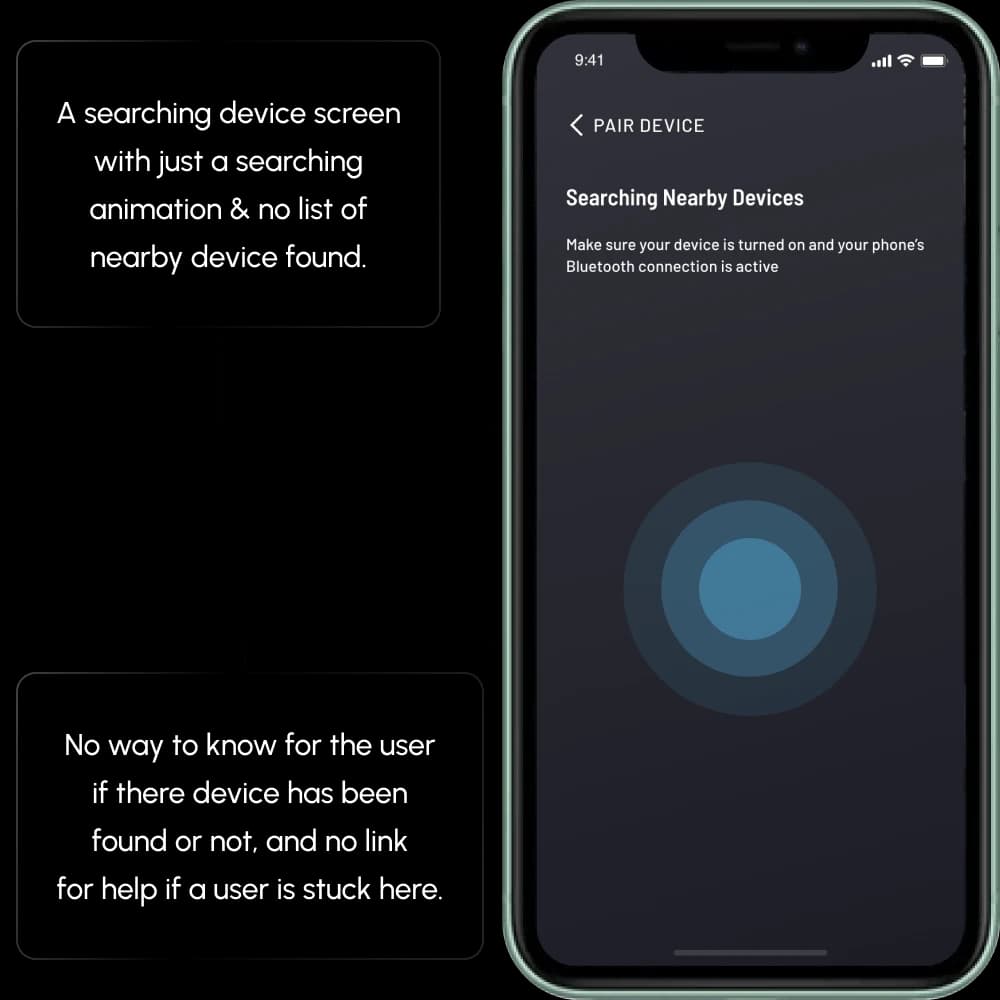
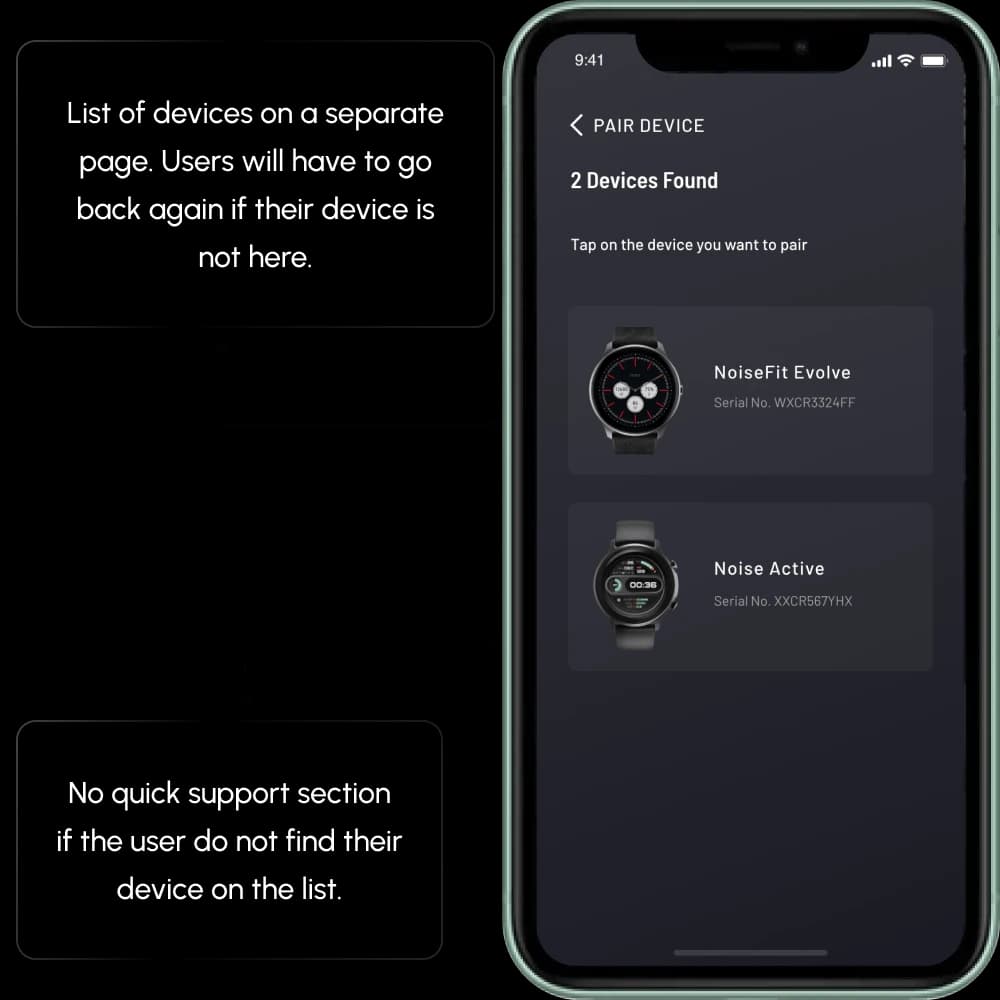
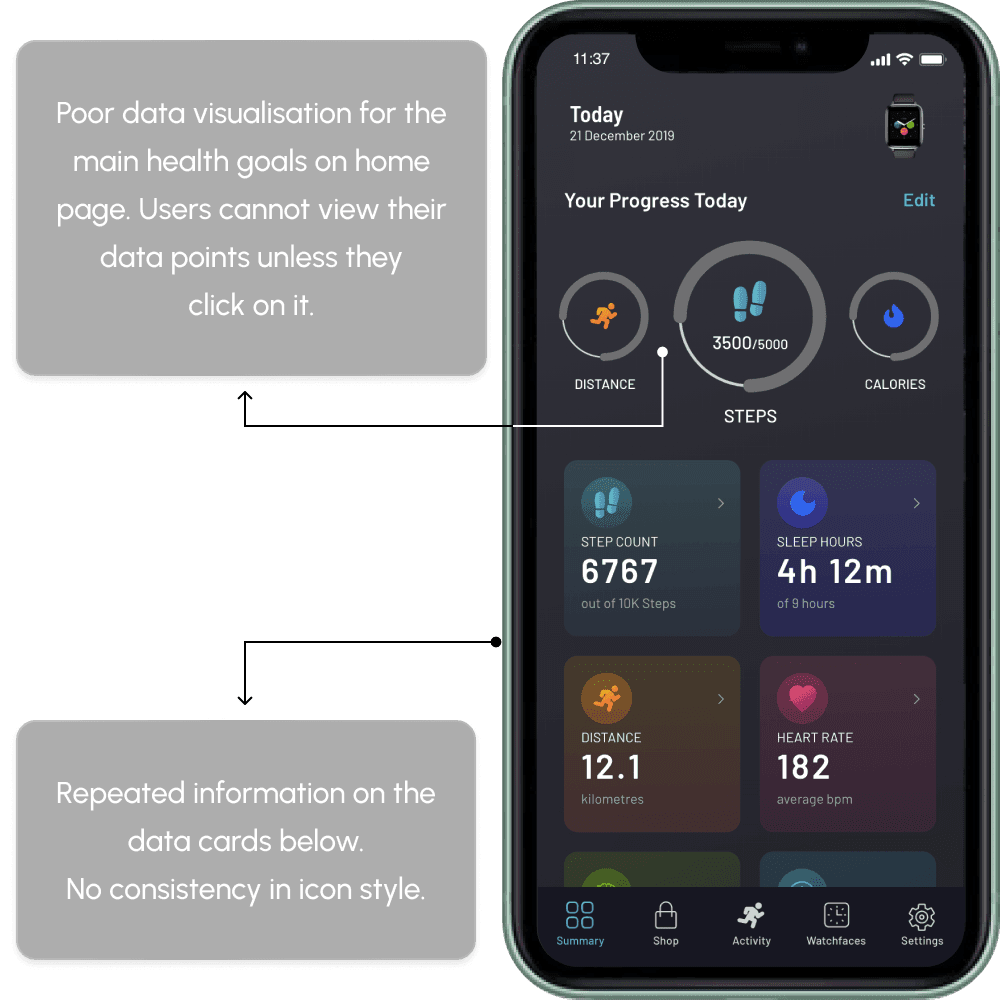
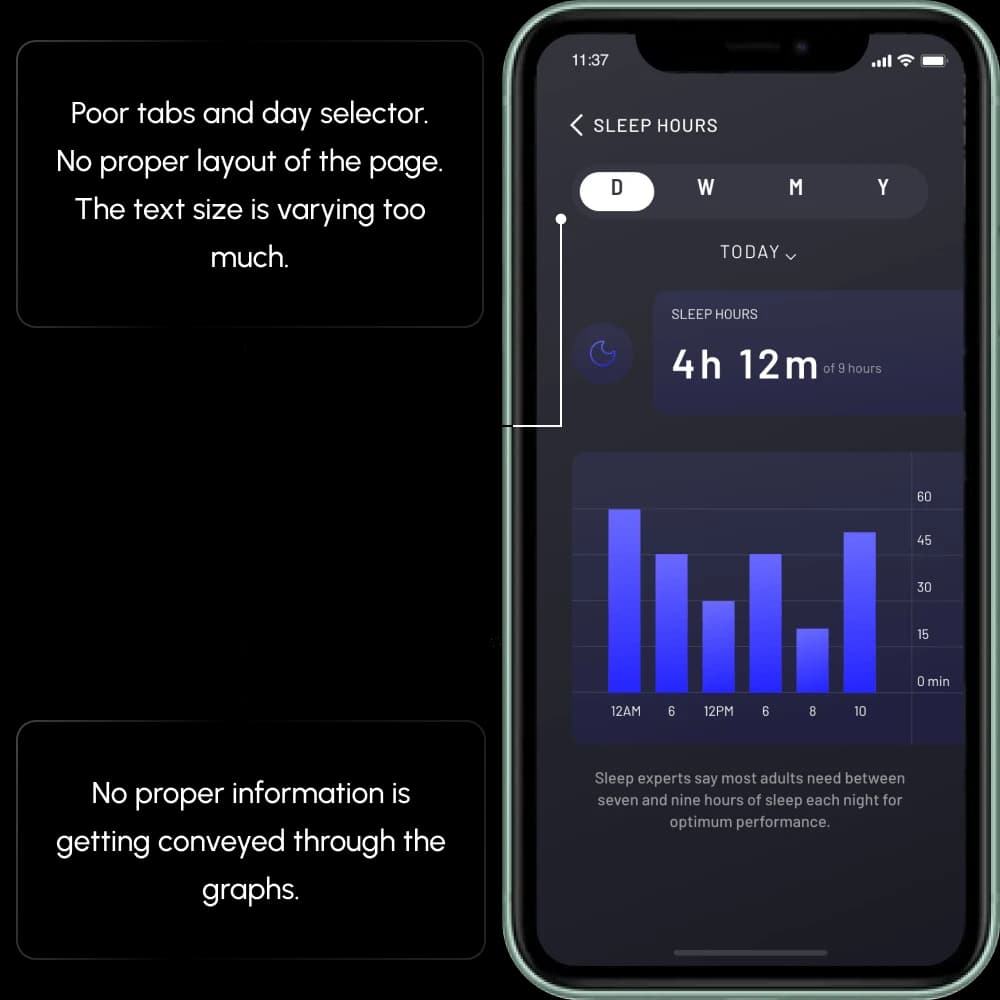
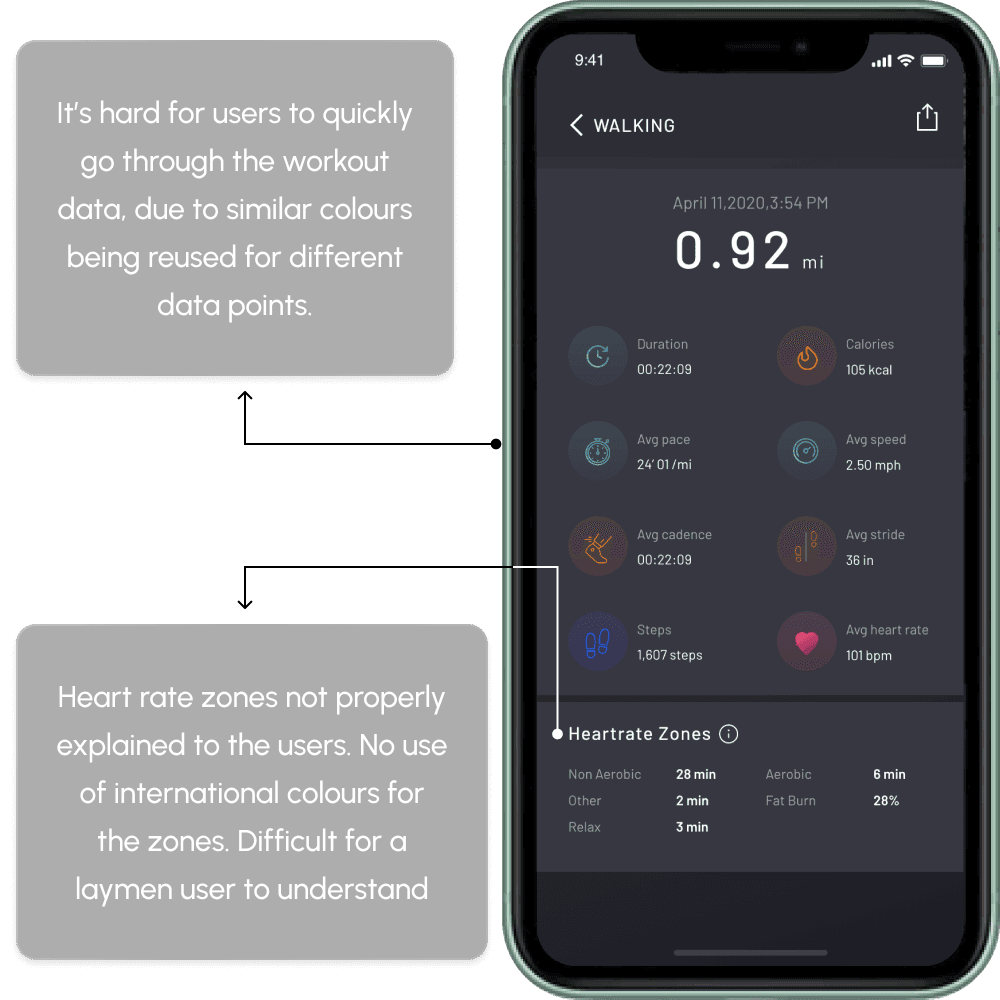
Then we went through the old app screen by screen and marked everything that broke flow, hierarchy or trust. Eight of those audit boards, with what each one found:
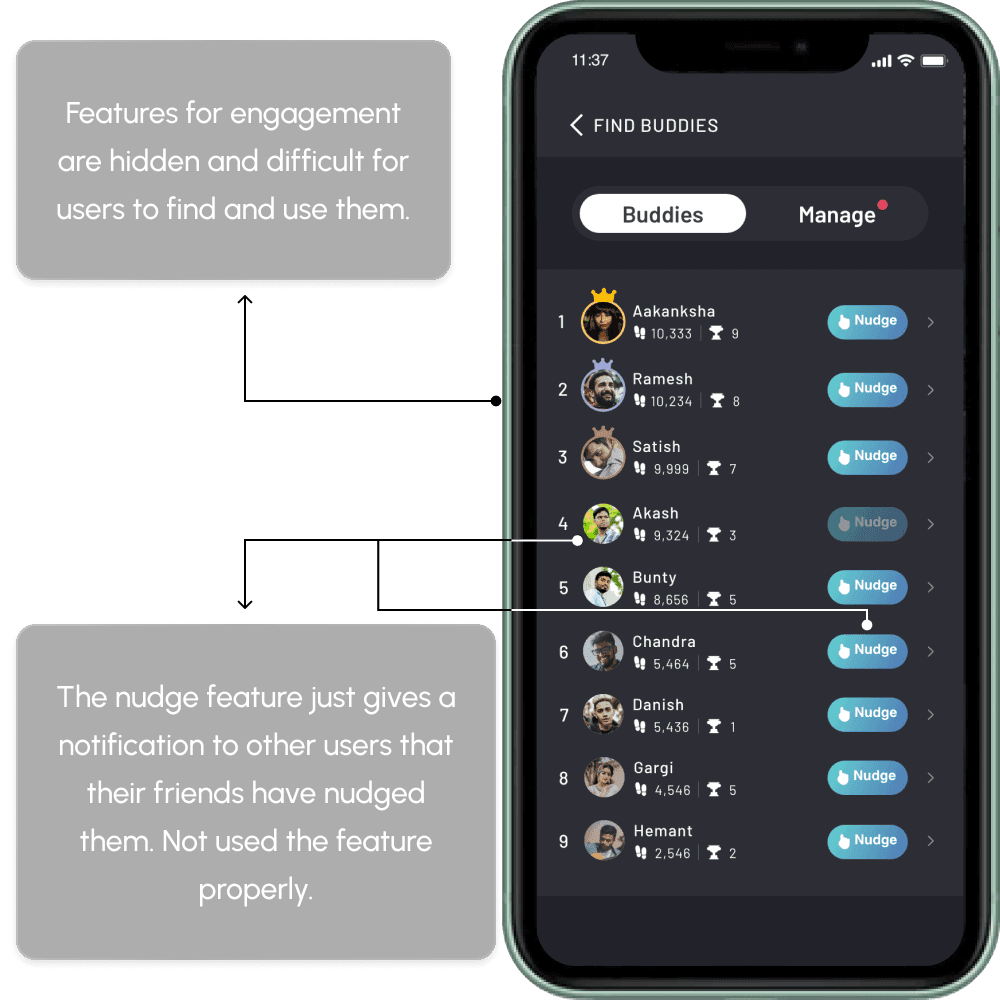
The last input was the market. Before ideating we tabled what the other fitness apps did well, and where each one fell short:
One app, across devices.
A full application revamp: the separate per-device builds became one product with its own design language, its own information architecture, and its own reason to exist beyond pairing a watch.
The revamp ran in five phases, ordered by what unblocked what:
- P1A UI guideline, so every screen after it lands consistent.
- P2The onboarding flow, where first impressions and abandonment live.
- P3The home page, with navigation built for faster browsing.
- P4The health metric pages, rebuilt around data visualisation.
- P5The engagement features: Challenges and Buddies.
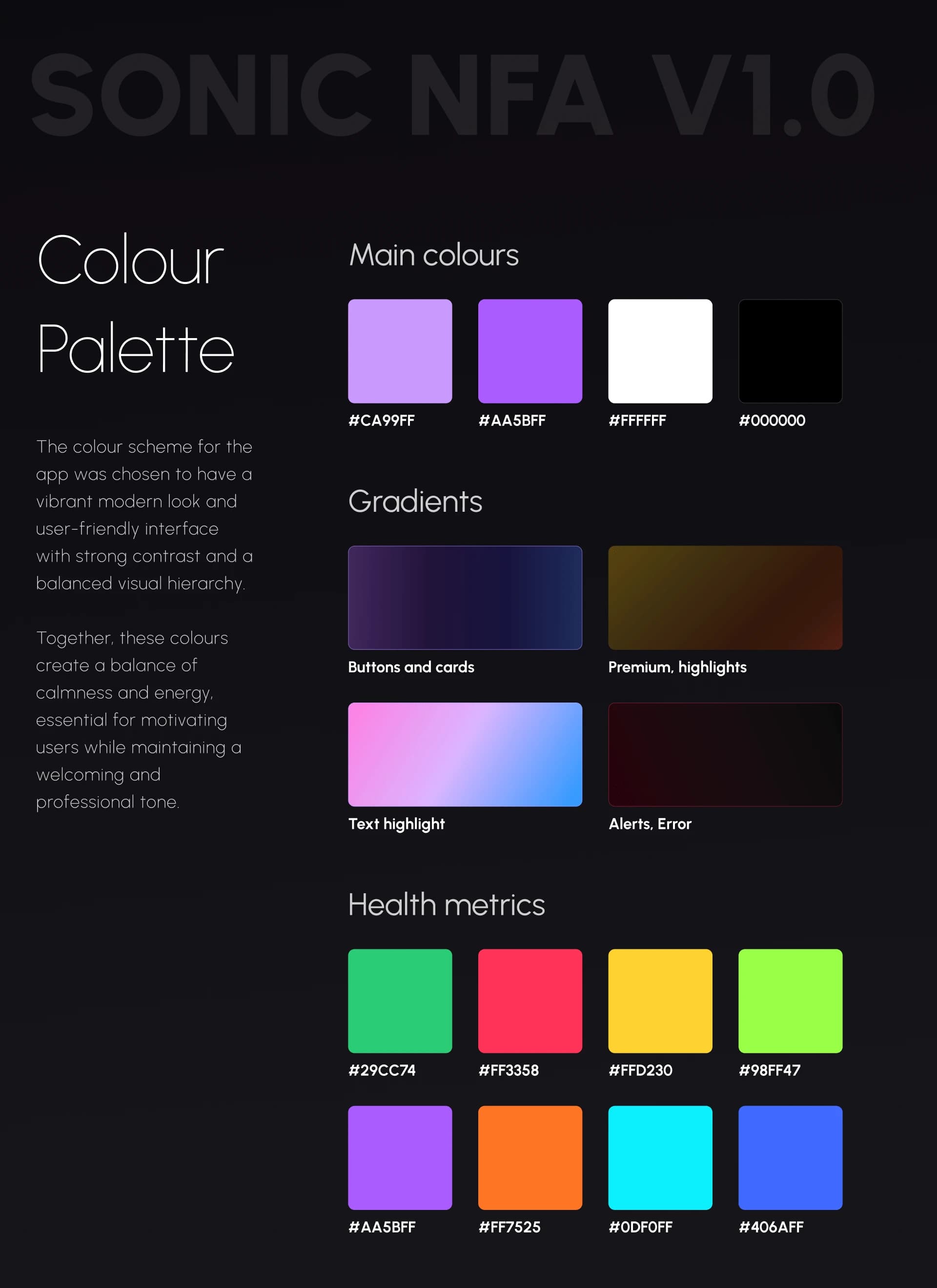
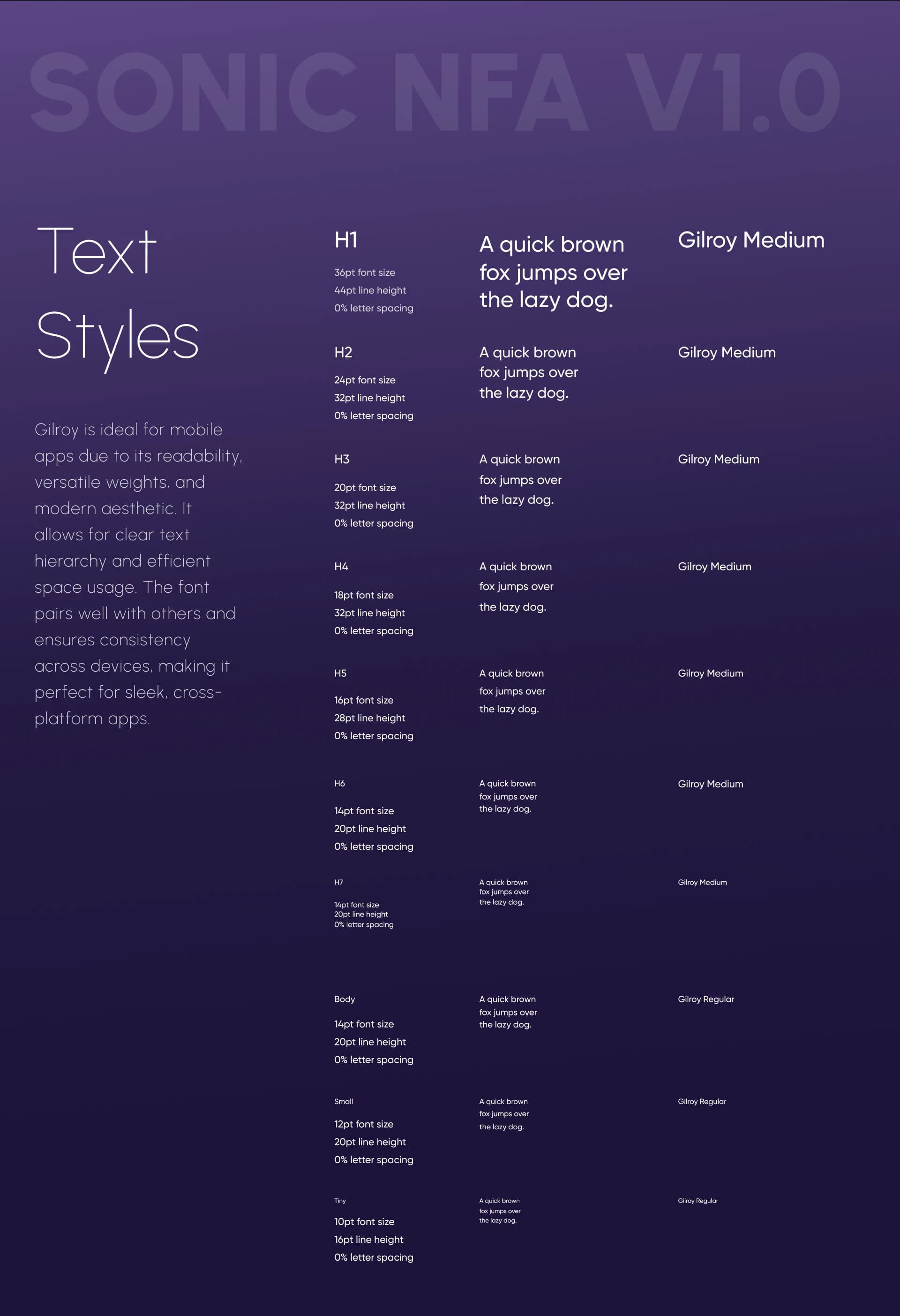
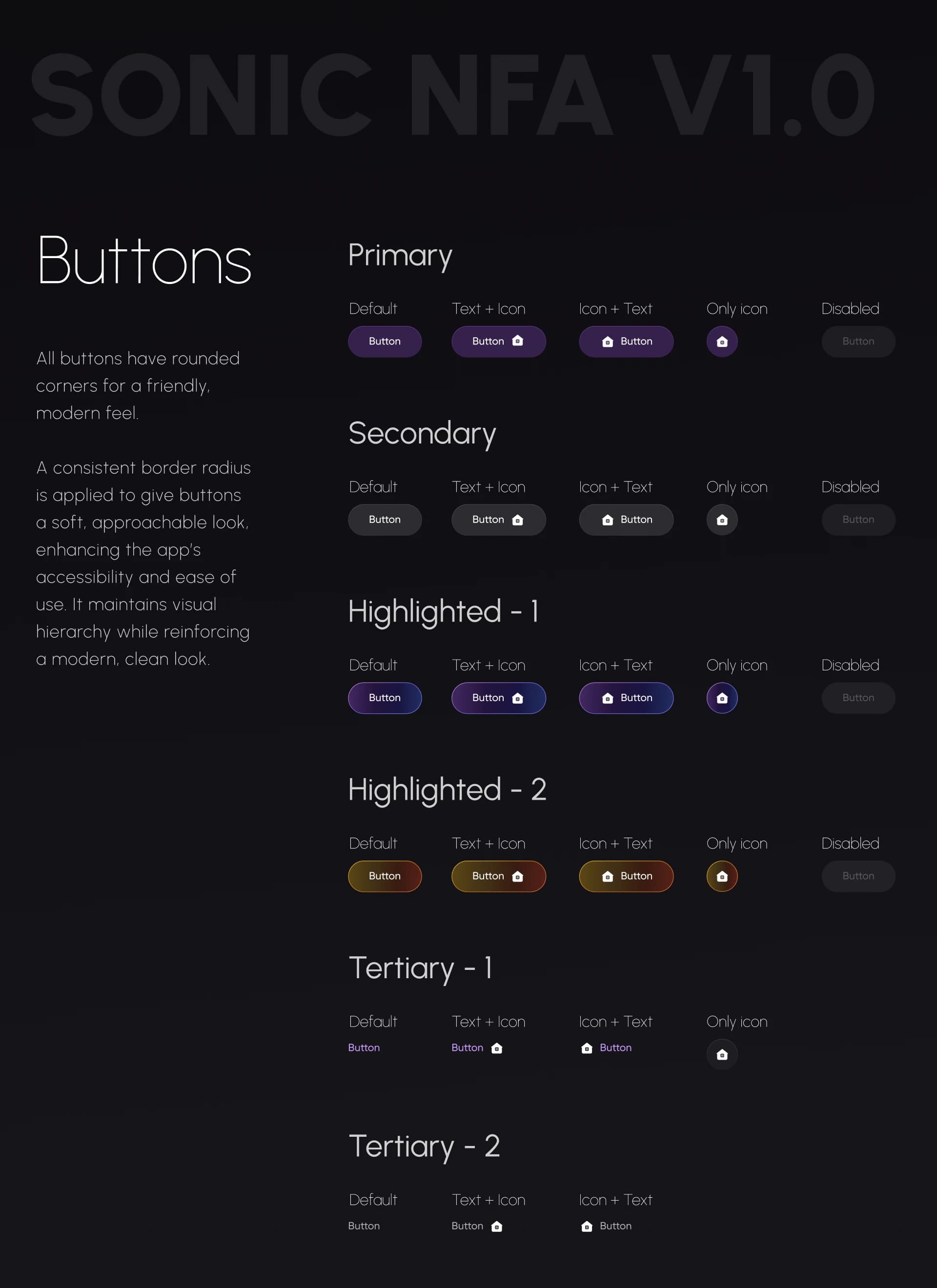
The guideline came first because it multiplies.
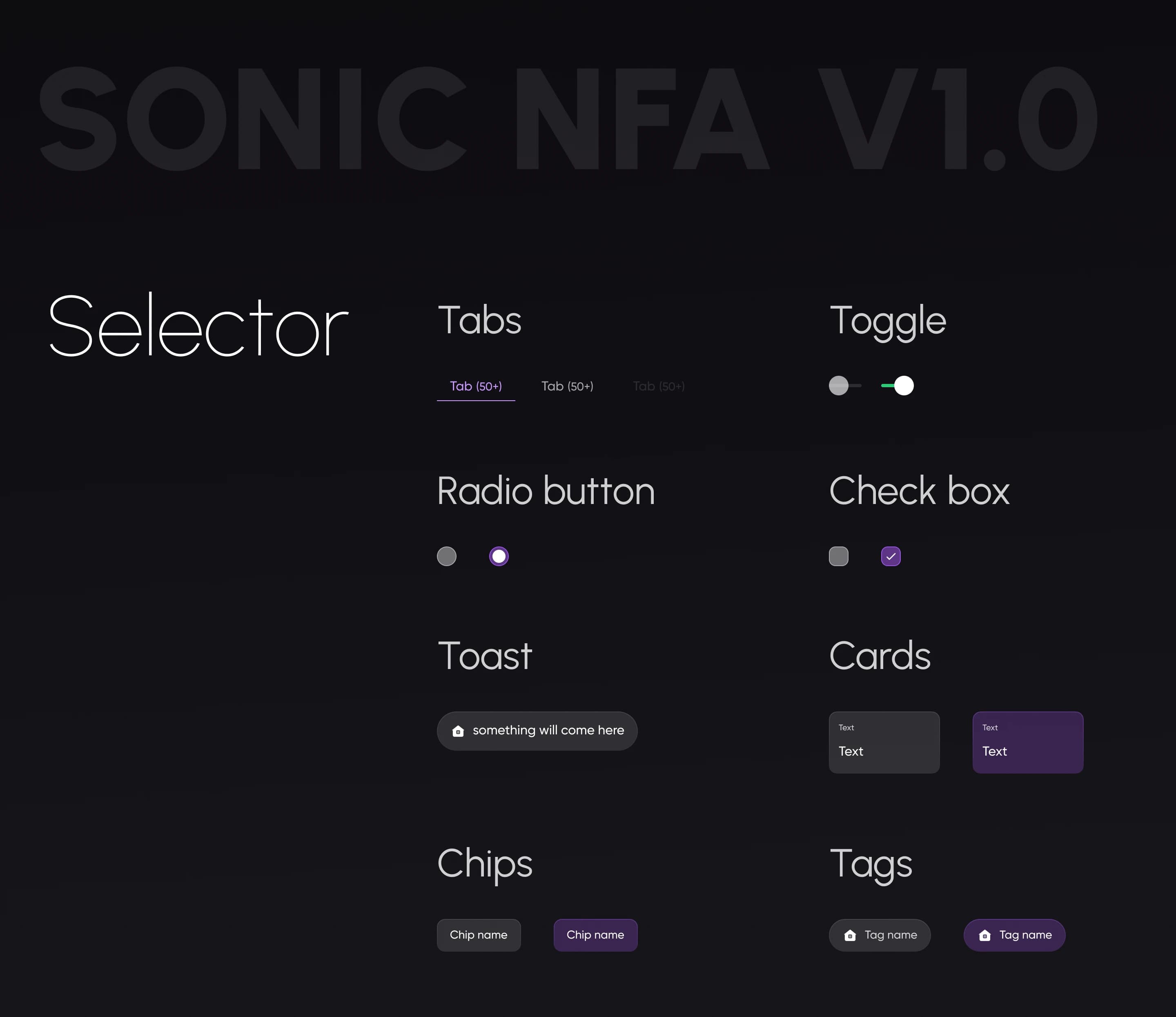
Colour, type, buttons, iconography and selectors decided once, then reused by every phase after it. That is what let one design language hold across an app this wide.
The old flow read like a long form. The new one walks you in.
The rebuilt journey in one picture: in through legal and a walkthrough, one OTP to sign in, pairing that retries on the spot instead of throwing you back, then a profile built one question at a time.
From one long form to guided steps
The previous flow put too many fields on screen at once and felt like paperwork. The revamp breaks it into small, manageable steps: a guided, step-by-step approach that is lighter to read and harder to abandon.
Scanning and finding a device, on one screen
Before, you scanned for devices on one screen and saw the list on another. If your watch didn't show up, you started over, with no help offered. Now scanning and the device list share one screen, with a help link for unlisted devices and a Scan QR Code path for a faster connection.
Pairing you can watch happening
A new micro-animated screen shows the data transfer before the dashboard opens. It reassures people that their data is actually moving, and it makes the app feel finished.
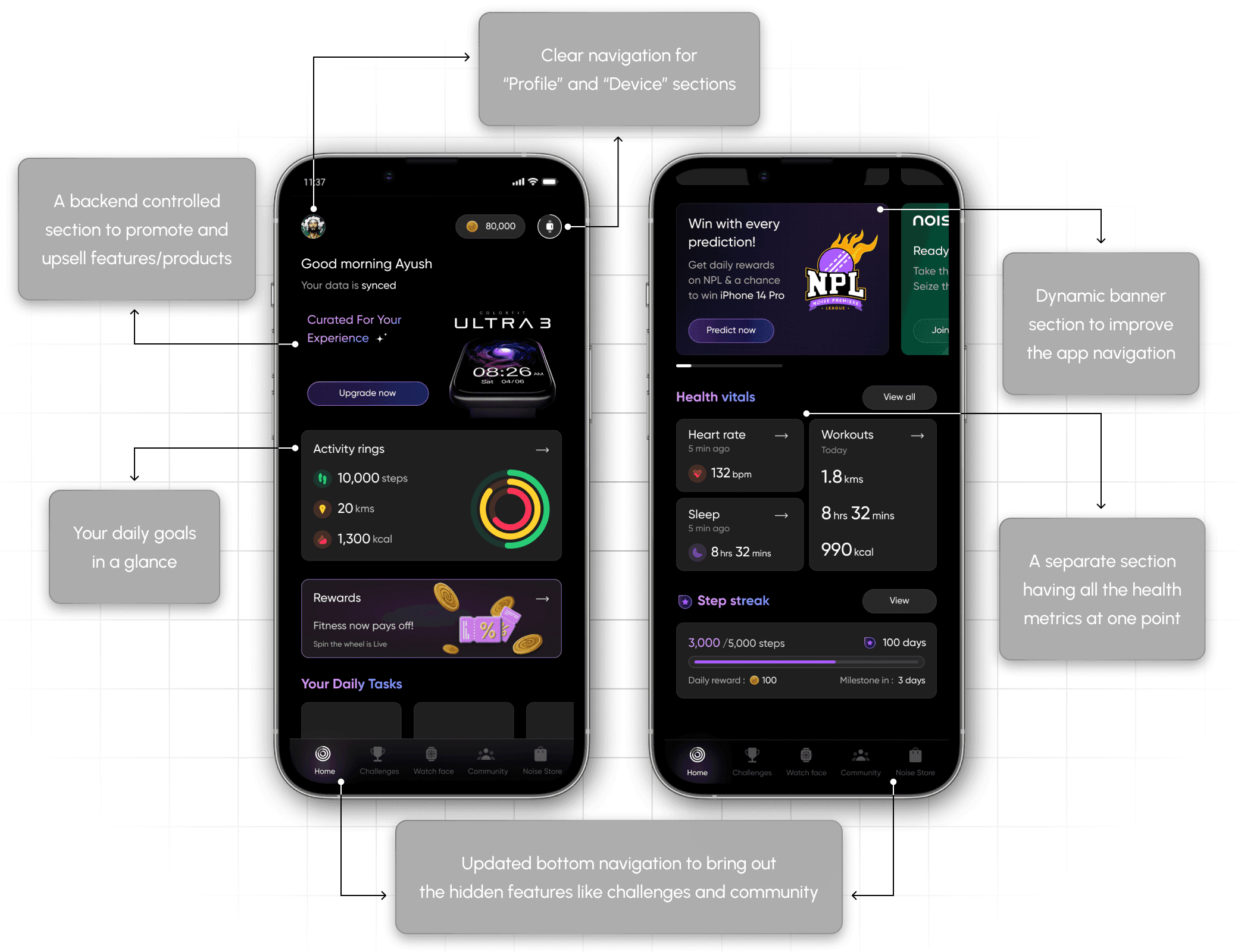
The landing screen decides whether the whole app feels navigable.
The home page is where an app earns its first impression of usability. The revamp gave it a hierarchy that surfaces what people actually open, and navigation built for easier, faster browsing.
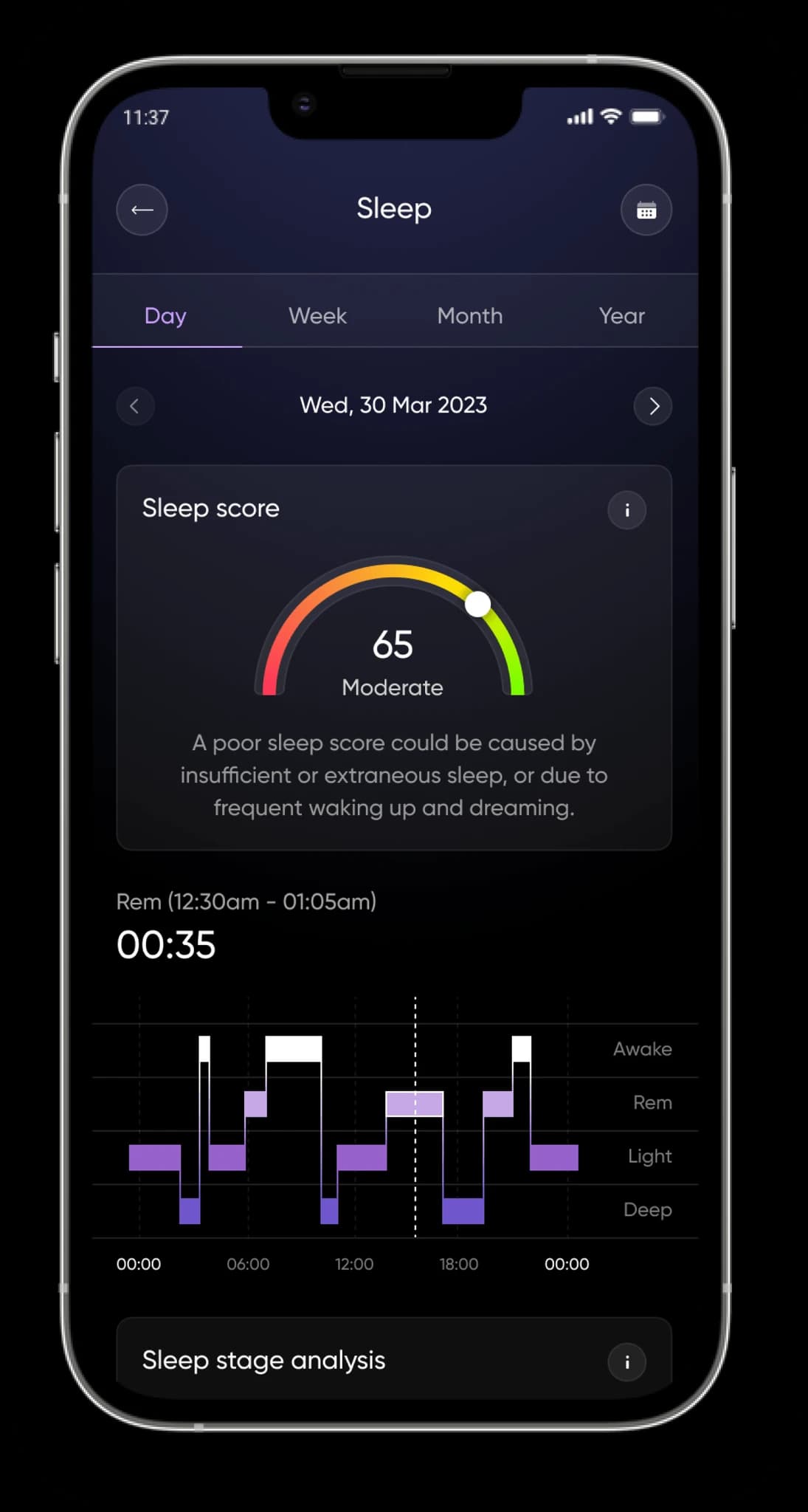
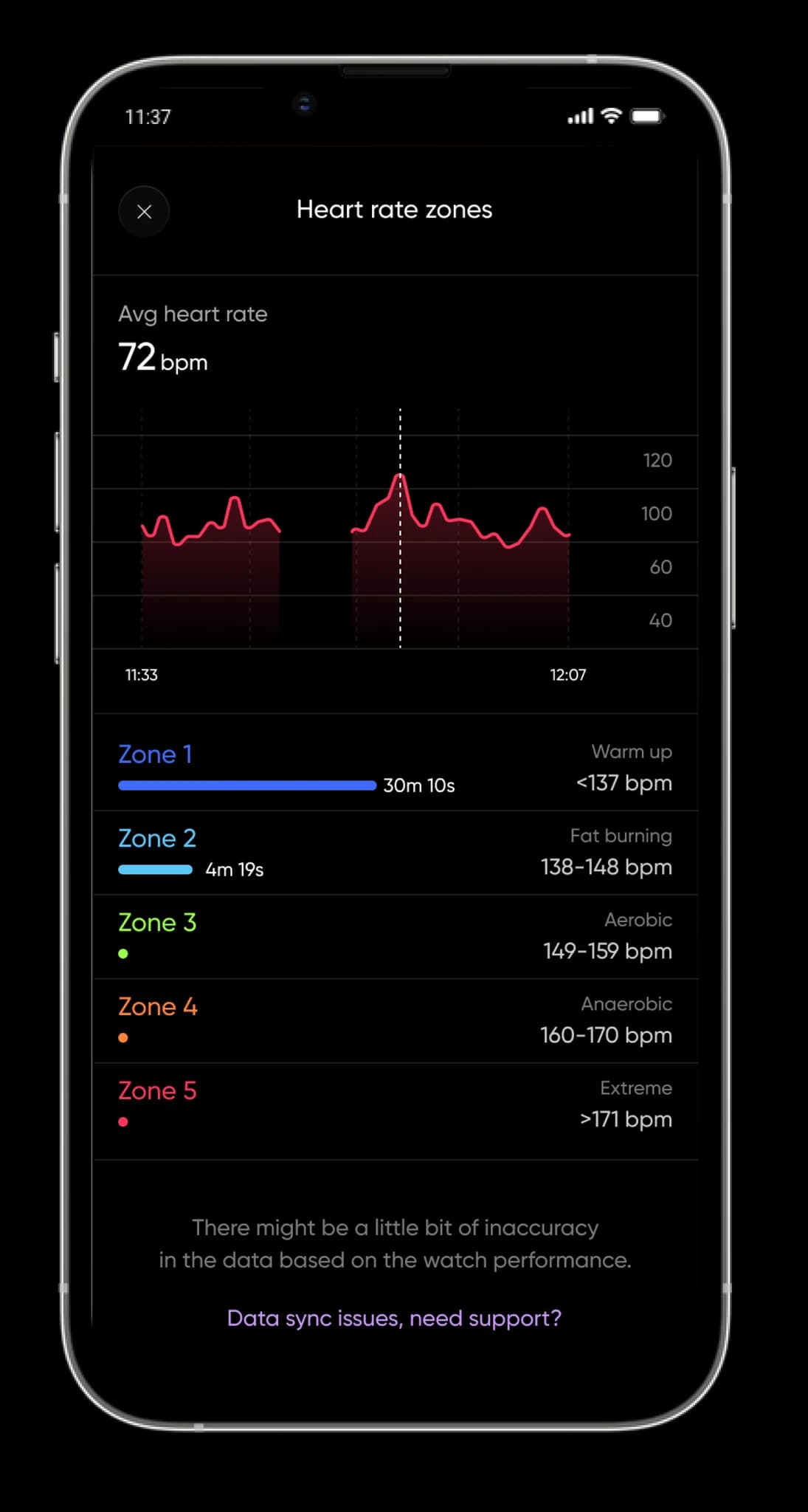
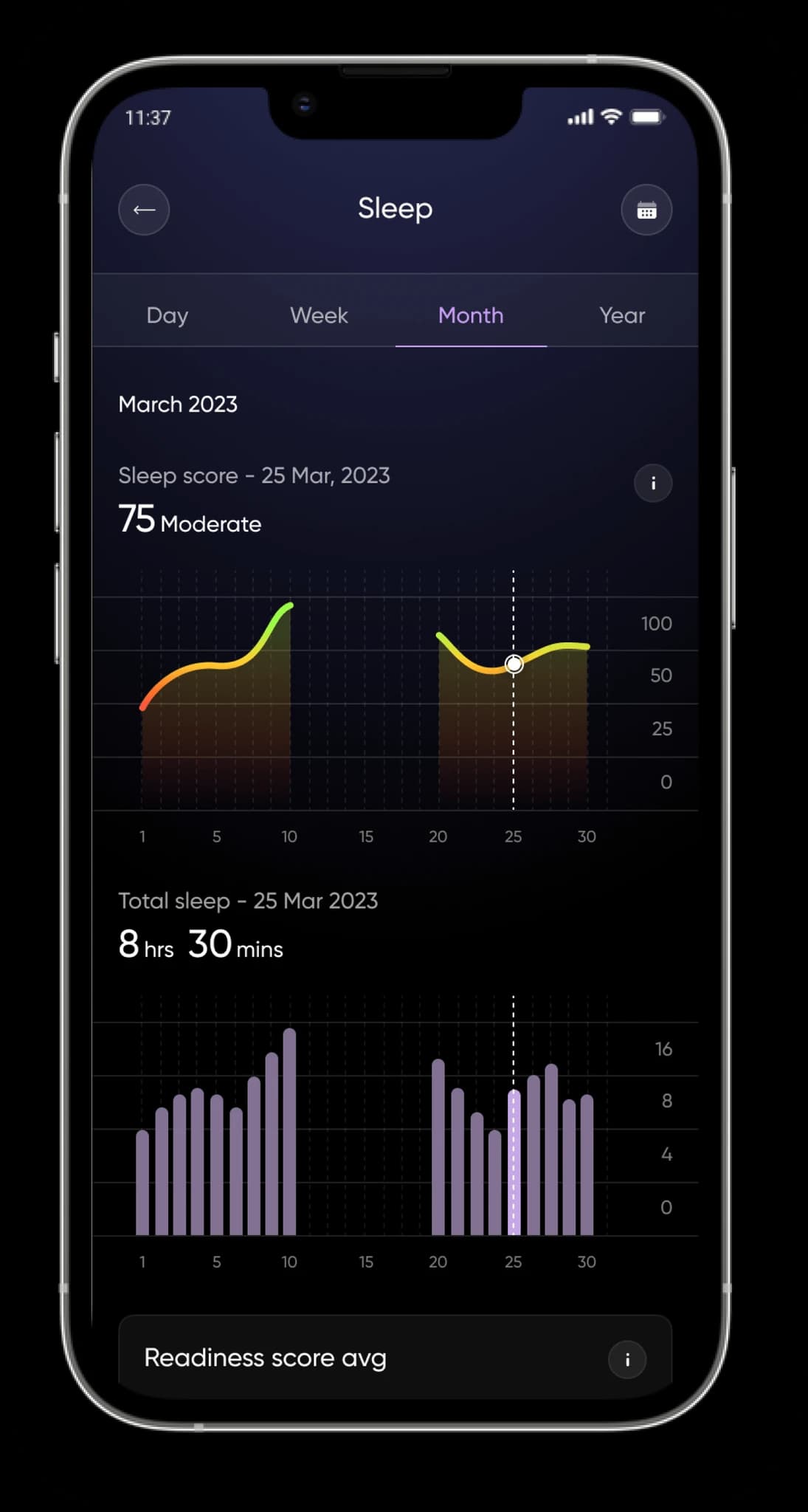
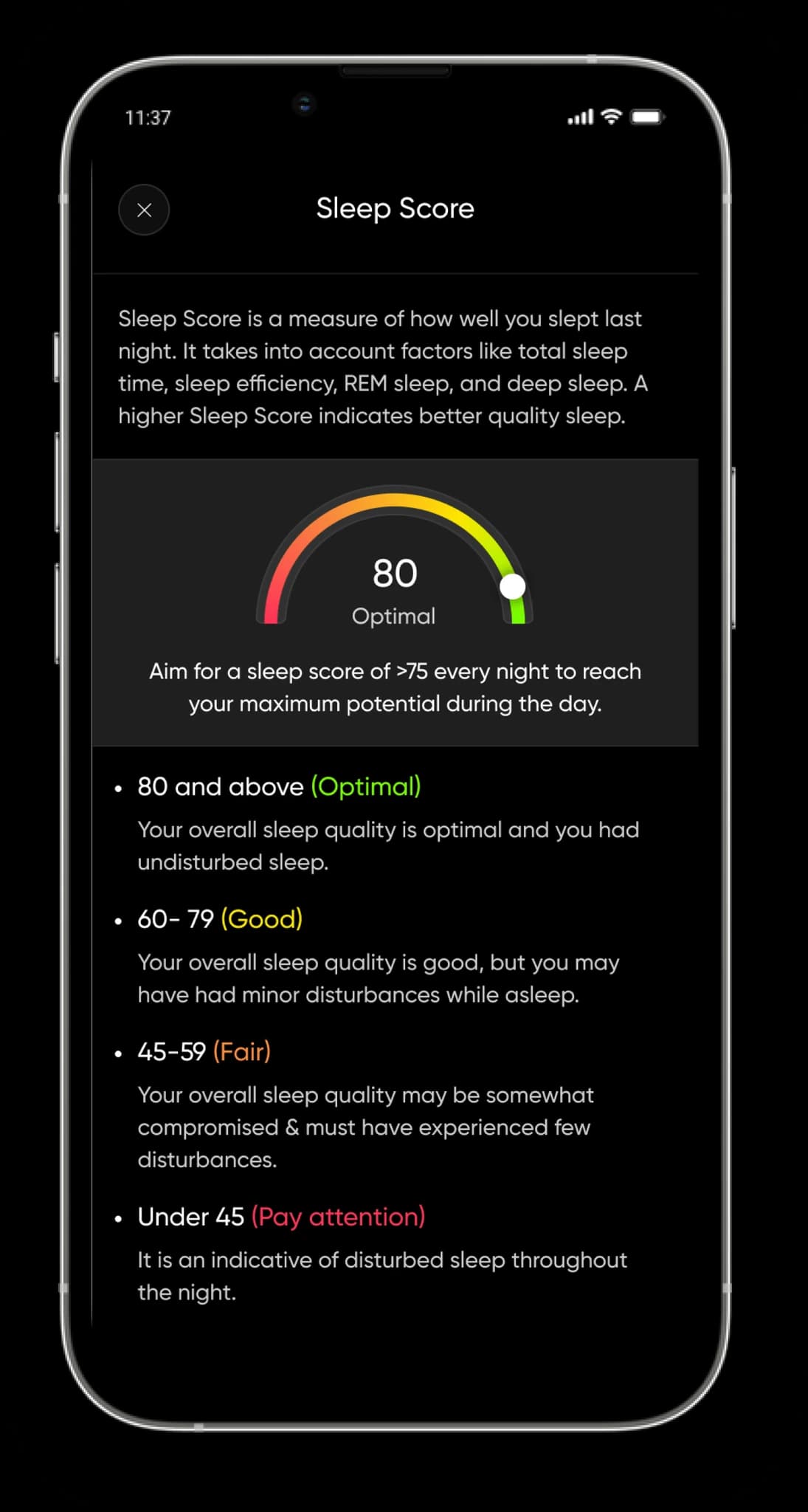
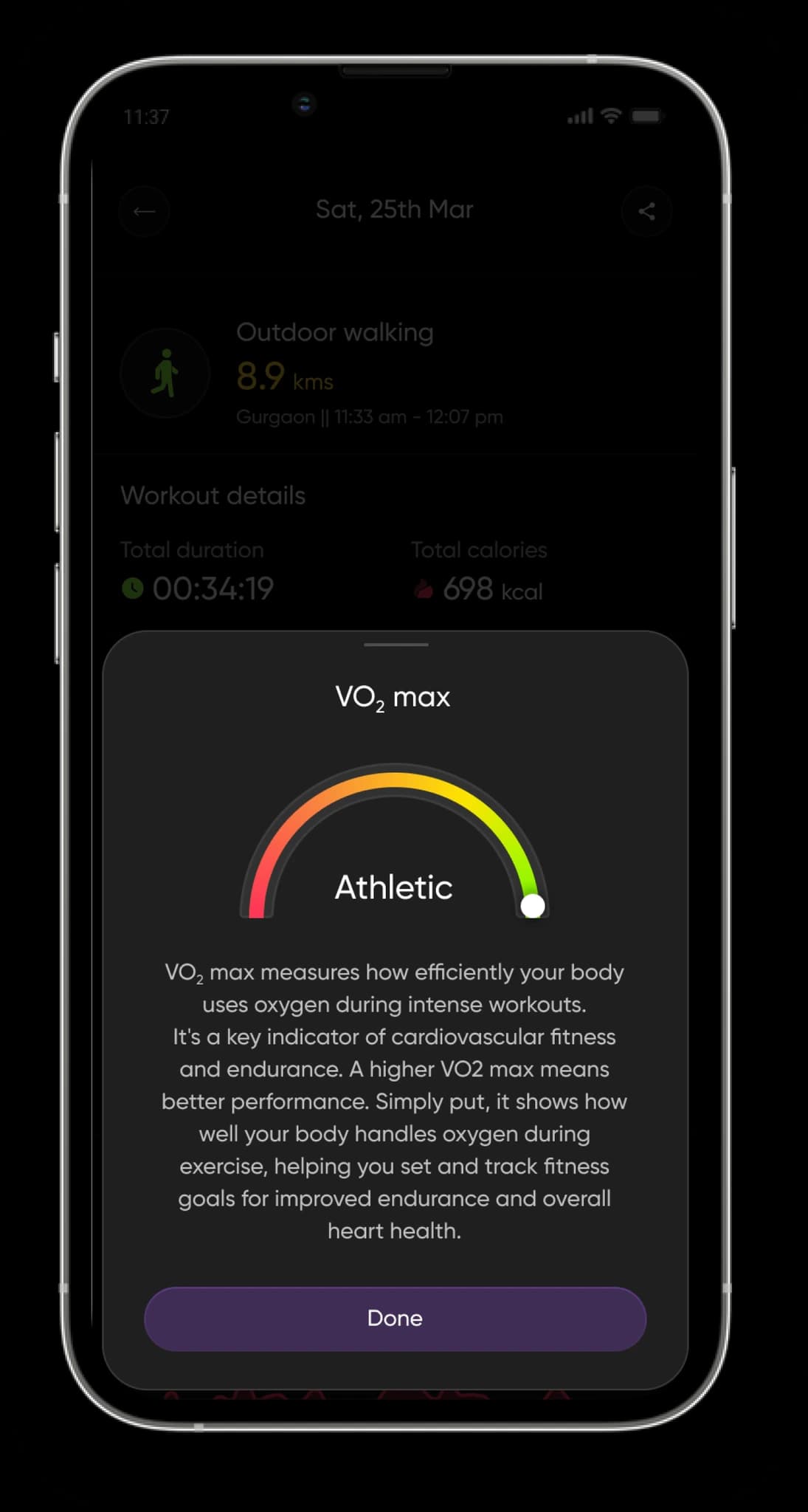
The health metric pages are the ones people come back for.
- 01Proper data visualisation for every important health metric, with a clear visual hierarchy.
- 02Interactive graphs, so any kind of user can read their health data at any point in time.
- 03Informative pages and detailed slide-ups that teach what each metric actually means.
Features that give the app a reason to be opened without a notification.
NoiseFit already had engagement features on paper. The experience around them was the problem, so both were rebuilt, and a third was added.
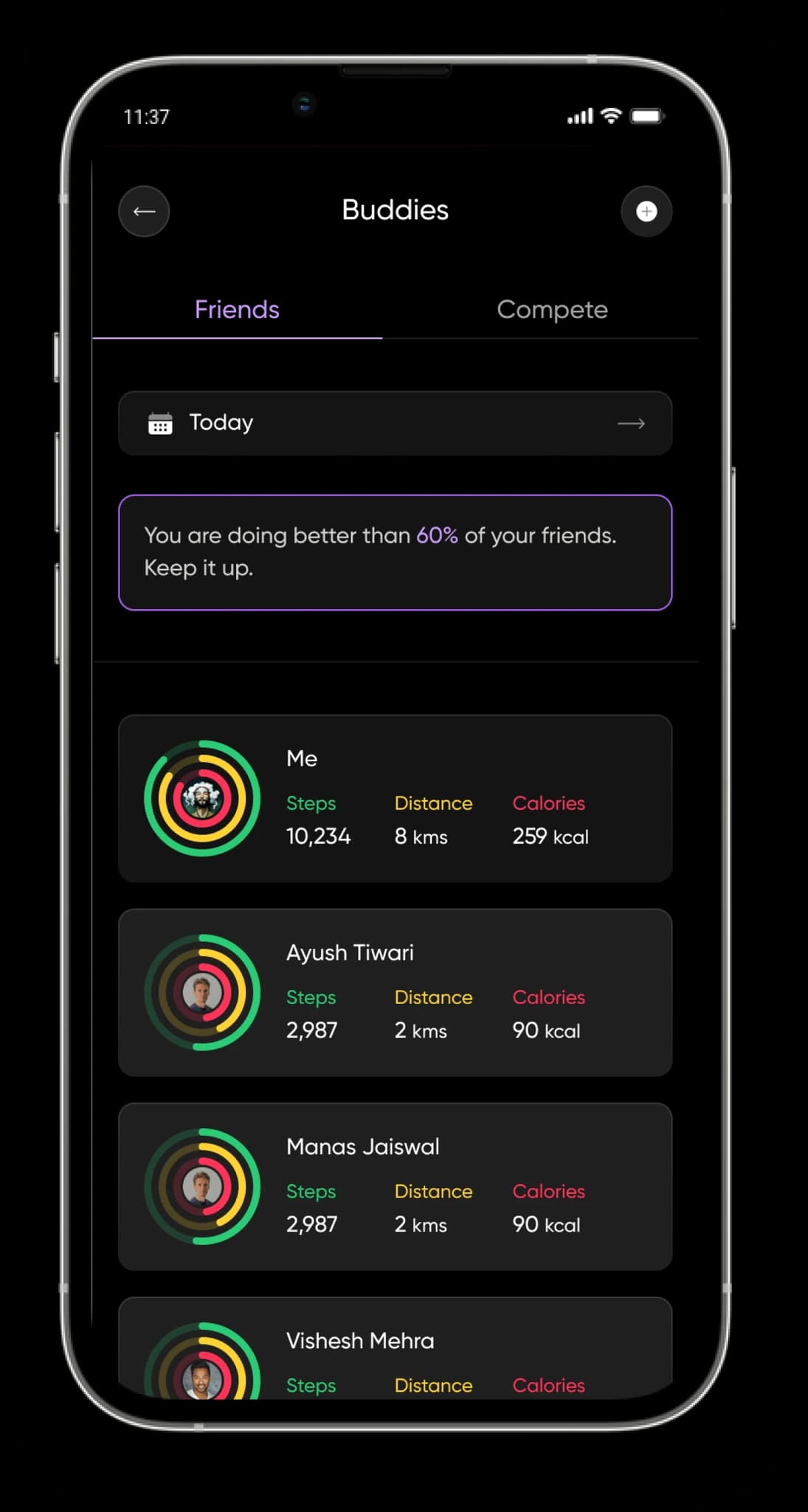
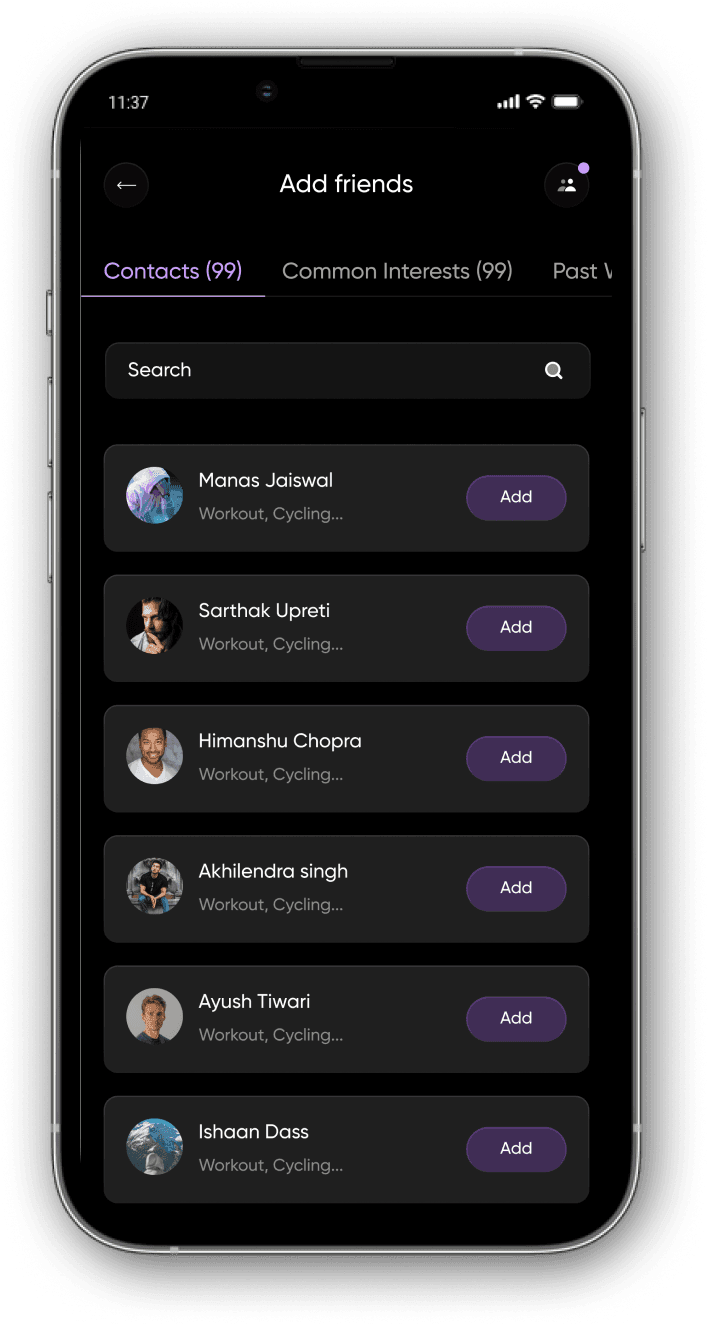
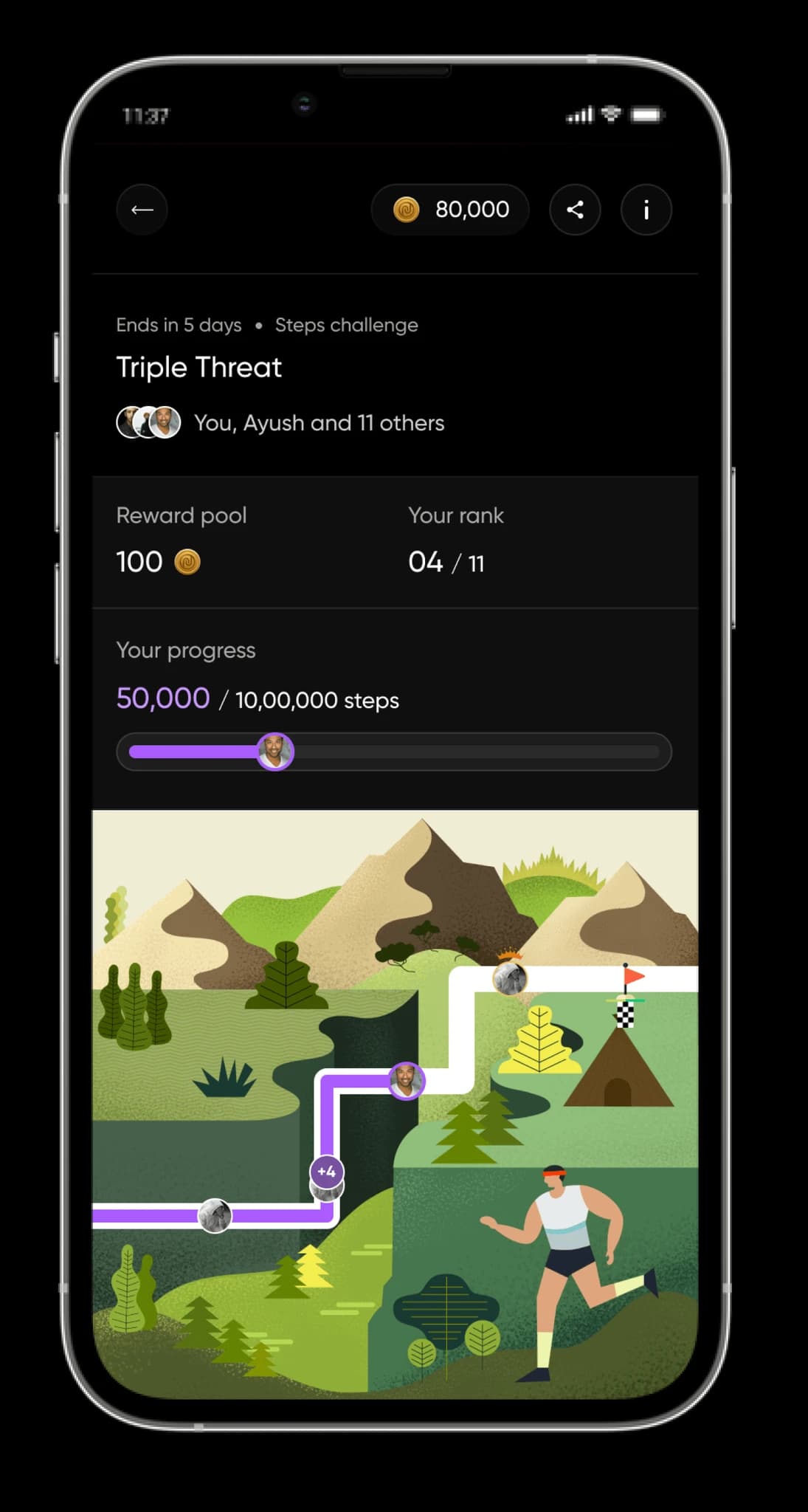
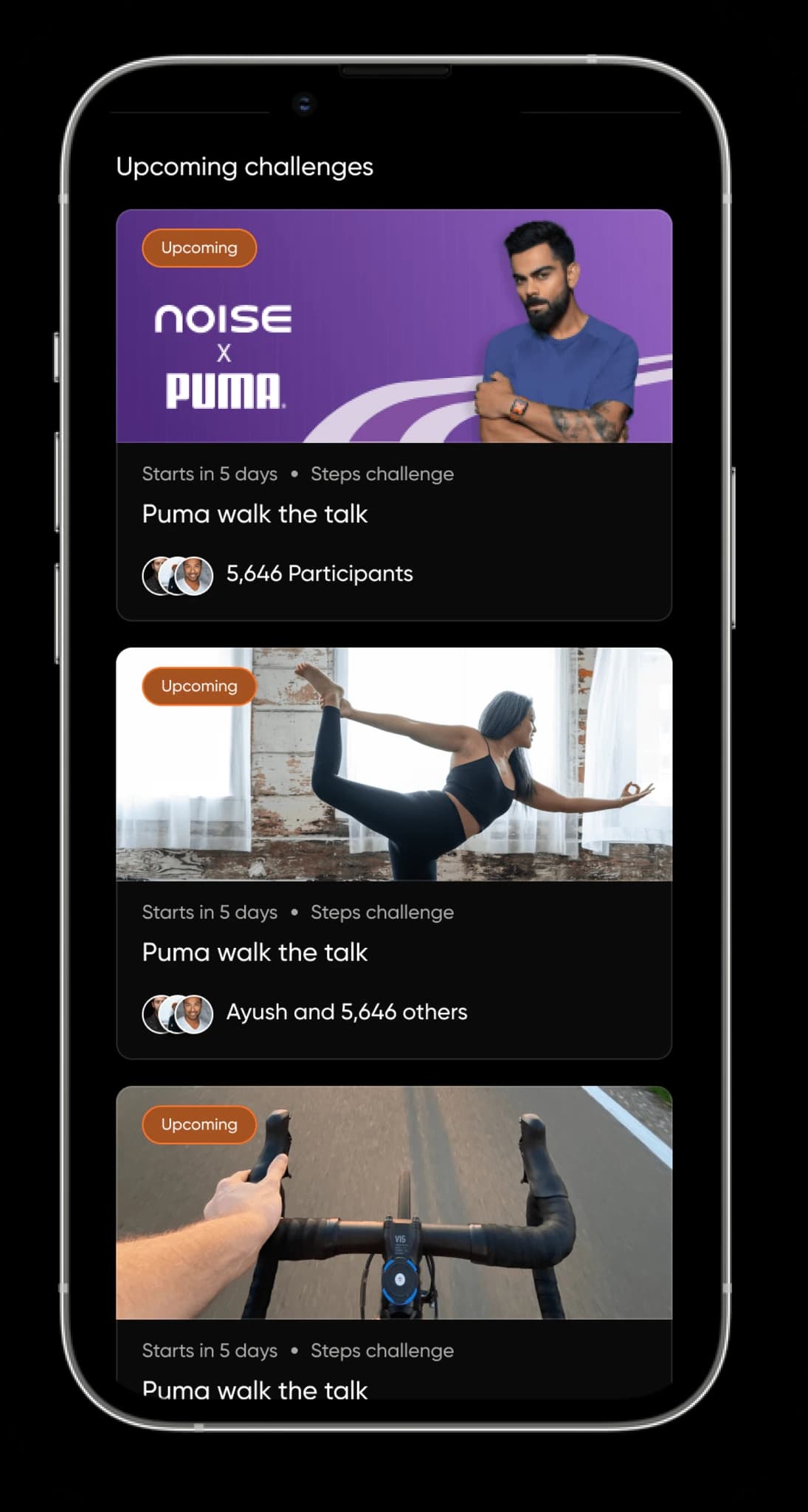
Each piece only works because of the others.
This is the part that proves the thesis. None of these is a feature bolted on; each one feeds the next, and shipping any one of them alone would have killed it.
Leading design, not just producing it.
Whiteboarding and brainstorm sessions with PMs to get the problem right before the solution. Persona work with user categories tackled separately. Handoff to engineering, and then staying alongside the build instead of disappearing at the redline.
- ·Went beyond executing PRDs: worked on the PRDs themselves, identifying problems and ideating the solutions.
- ·Sat with the development team to understand the app's architecture first-hand.
- ·Helped frame that architecture into a solid framework for smoother, more efficient development.
India's number one health and fitness app, at the time.
Period-bound on purpose: claims on this site stay tied to when they were true. The numbers at the top of this page are what the ranking looked like from the inside.
What I take from it is not the ranking. A white-label shell became a product an ecosystem could grow on, and the ecosystem is what made it matter.